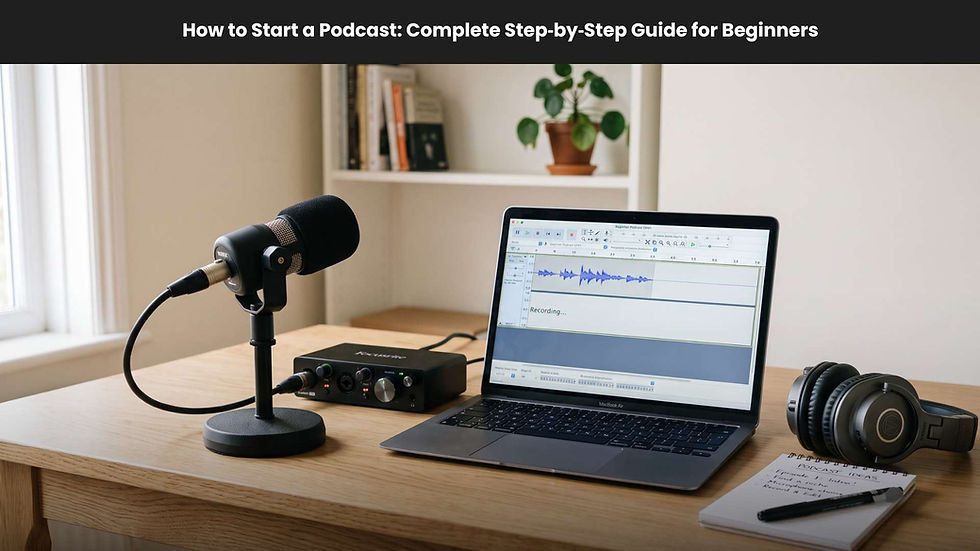
Podcast Guest Equipment Checklist for Remote Recording Success


Recording a podcast with remote guests has never been more accessible, but achieving professional-quality sound and video still requires one key element: preparation. Not all guests have access to high-quality audio and video gear, which means their side of the recording might not meet studio standards. The best solution is to send them the right equipment ahead of time. This guide provides a comprehensive checklist of podcast guest equipment for remote recording success, equipping you withthe tools and techniques to ensure every guest sounds crystal clear from anywhere in the world.
If you’re building a professional show on a budget, it’s also worth understanding the broader cost considerations and growth strategies involved in remote production, which we cover in B2B Podcasting: Cost-Effective Launch and Expansion in 2024.
Why You Need a Podcast Guest Equipment Checklist
When you rely on remote podcast recording, you face uncontrollable variables, such as different microphones, unpredictable internet speeds, and inconsistent environments. A podcast guest equipment checklist helps you standardize these factors. By sending your own kit or at least providing a clear checklist, you help your guests look and sound their best. The result is consistent, high-quality audio that elevates your brand and keeps listeners engaged.
What Equipment Should I Send to Podcast Guests?
Sending equipment to your podcast guests might seem like overkill, but it can transform your show. Below is a practical list of items to include in your guest recording setup:
1. Microphone
The microphone is the most important piece of your podcast gear. For ease of use, send a plug-and-play USB microphone. Models like the Samson Q2U or Audio-Technica ATR2100x balance affordability with quality. These mics help eliminate background noise and enhance vocal warmth, even for non-technical guests.
2. Headphones
Headphones prevent audio bleed and ensure cleaner recordings. Over-ear, closed-back headphones work best. While many guests already own earbuds, having a reliable pair ensures better sound isolation and gives you full control over your audio quality.
3. Camera (if recording video)
If you produce a video podcast, your guest’s camera quality matters. A basic HD webcam or smartphone camera can deliver great results under the right lighting conditions. When sending a camera, include any required cables and quick setup instructions.
4. Accessories
Accessories like pop filters, mini booms, or tabletop stands improve comfort and reduce unwanted noise. Lightweight items like pop filters and foam windscreens are easy to ship yet make a big difference in audio quality.
5. Lighting and Room Setup Tips
Even simple lighting adjustments can elevate your remote interviews. Consider sending a compact LED ring light. Encourage your guests to record in a quiet room with soft furnishings that absorb echo, improving overall audio quality.
How to Effectively Send Equipment to Your Guests
Before shipping your podcast equipment kit, plan your logistics to ensure efficiency and safety.
Consider Rentals or Local Kits
Instead of mailing your own equipment, you can use podcast equipment rental services that handle shipping, insurance, and returns. If you already own spare gear, mailing it yourself can be more cost-effective for regular shows.
Use Tracked Shipping
Always use tracked shipping when sending audio hardware or cameras. Shipping companies like USPS, UPS, or FedEx offer robust tracking options that help you monitor where your equipment is at all times. This step avoids lost packages and missed deadlines.
Include a Return Label
Attach a prepaid return label inside your package. This makes it easy for guests to ship the equipment back promptly after recording without extra cost or confusion. It's a small gesture that enhances professionalism.
Insure Valuable Packages
Even if your gear isn’t top-of-the-line, replacing broken or lost items adds up. Insurance ensures your investment remains protected. For frequent shipments, look into blanket coverage for recurring podcast gear mail-outs.

How Do You Help Guests Set Up Their Equipment?
Sending equipment is only half the job. You also need to prepare your guest to use it confidently.
Include Simple Setup Instructions
Every package should include a printed setup guide. Keep it short and use visual images and clear bullet points help non-technical guests follow along easily. Add steps for connecting the USB microphone, adjusting mic height, and checking audio input settings.
Offer Live Support Before the Recording
Schedule a short pre-recording call to test equipment, confirm levels, and answer any questions. This reassurance helps guests relax and ensures that everything runs smoothly during the official session.
Add a Personal Touch
Including a handwritten thank-you note or small branded item creates a memorable experience for your guest. It also helps them feel appreciated and builds goodwill for future collaborations.
What Should a Guest Equipment Checklist Include?
Creating a standardized list keeps your remote recording system efficient and repeatable. Here’s a simple checklist to guide you every time you prepare a guest kit:
USB microphone with stand and windscreen
Closed-back headphones
Camera (optional, for video podcasts)
Required cables and adapters
Pop filter or foam windscreen
LED ring light (optional)
Short setup instruction card
Prepaid return shipping label
Thank-you note or branded card
Following this checklist reduces stress and ensures consistency across all your remote podcast sessions.
Remote Podcast Recording Software and Producer Controls
The right software can make or break your remote podcast recording. Platforms like Riverside, SquadCast, or Descript capture studio-quality audio and video from each participant, even with imperfect internet connections.
Using Producer and Camera Controls
With premium remote recording software, producers have full control over guest audio levels, lighting adjustments, and even video exposure features that mimic an in-studio experience. This allows you to focus on the conversation rather than troubleshooting technical issues.
Why Choose Cloud-Based Platforms
Cloud-based solutions perform local recordings for each participant and automatically upload them to the cloud. This guarantees crisp, lossless audio files and eliminates lag-related drops. These features are crucial for podcasters who aim for broadcast-level sound.
How to Manage and Track Your Guest Equipment
Maintaining a simple tracking system ensures your podcast gear cycle runs smoothly.
Label Everything
Assign each microphone, cable, and accessory a unique ID number. Use a spreadsheet or tracking software to log shipping dates, guest names, and return confirmations.
Create a Return Checklist
Include a small printed checklist inside your package so guests can verify all items before returning them. This avoids forgotten cables and missing accessories.
Common Questions About Podcast Guest Equipment
Should I Send a Microphone to My Podcast Guests?
If your budget allows, yes. Even a $60 USB microphone can dramatically improve audio quality. The consistent clarity enhances your brand and reduces post-production work.
How Can I Improve Audio Quality When Recording Guests Online?
Start with a quality mic, encourage guests to record in a quiet space, and use remote recording platforms that support local audio capture. Remind guests to wear headphones to eliminate echo.
Is It Better to Rent or Ship Your Own Podcast Gear?
Renting equipment works best for occasional interviews or when guests are overseas. Mailing your own kit is more cost-effective if you record frequently or have recurring guests.
Why Investing in Remote Podcast Equipment Is Worth It
Outfitting your guests with the right gear showcases your professionalism. It results in cleaner audio, stronger engagement, and faster editing workflows. Over time, these small improvements lead to better listener retention and a stronger reputation.
Conclusion:
A podcast guest equipment checklist ensures your remote recordings achieve professional quality without complications. By mailing reliable gear, offering setup instructions, and leveraging powerful remote recording software, you’ll eliminate technical issues and maintain consistent episode quality. With planning, organization, and the right technology, your podcast can deliver studio-quality sound no matter where your guests are recording from. Start building your kit today, and turn every remote interview into a polished, professional production.