How to Start Video Podcasting: A Complete Beginner’s Guide
- Sam Hajighasem

- Feb 16
- 7 min read

Video podcasting is becoming one of the fastest-growing forms of content creation in 2026. With more than 33% of weekly podcast listeners in the U.S. now preferring to watch their favorite shows instead of just listening, creators are turning to video to connect more deeply with audiences. Whether you want to expand your reach on YouTube or launch a full visual brand presence, learning how to start video podcasting can set you apart in an increasingly competitive landscape.
This guide covers everything you need to know, from understanding what a video podcast is to choosing equipment, recording, editing, and promoting your show successfully.
What Is Video Podcasting?
At its core, video podcasting is the fusion of audio podcasting with visual elements. It can be as simple as adding a static image video to accompany your audio, or as complex as producing a multi-camera studio experience like The Joe Rogan Experience. Unlike ordinary YouTube videos, video podcasts are typically series-based, focused on dialogue or storytelling, and often distributed via podcast hosting platforms such as Spotify or Anchor.
Video Podcasting vs YouTube Videos
A common confusion is treating a talk show or vlog as a video podcast. The difference lies in structure and distribution. Podcasts are syndicated through RSS feeds, while YouTube videos live solely on the platform. However, many creators upload their video podcast episodes to YouTube because it remains the top discovery platform for new audiences.
Why Start a Video Podcast? Key Benefits
Video podcasting is not just a creative extension, it is a strategic move to strengthen audience engagement, brand visibility, and channel growth.
Build Stronger Audience Connections
Seeing hosts on camera builds trust and relatability. A University College London study found that viewers felt stronger emotional connections from video compared to audio-only content. When audiences can see your expressions and body language, they are more likely to develop loyalty and remain engaged across episodes.
Enhance Discoverability and SEO
YouTube is the world’s second-largest search engine. Publishing your video podcast on YouTube, along with optimized titles, transcripts, and closed captions, helps improve your search rankings. Closed captions also make your content accessible, amplifying reach and watch time.
Repurpose Your Recordings to Maximize Reach
Video podcasting allows for cross-platform promotion. You can easily repurpose long-form episodes into 30 to 90-second clips for Instagram Reels, TikTok, or YouTube Shorts. Studies show that short-form video clips achieve up to 50% higher retention rates than long-form content, making this an efficiency win.
Tap into the Growing Spotify Video Podcast Market
Spotify now supports video podcast uploads, and more than 500,000 shows as of 2026 include video components. With over 390 million users having watched at least one episode, creators who leverage Spotify video podcasts enjoy higher brand awareness and engagement.
Common Types of Video Podcasts
Choosing the right format depends on your show’s goals and available resources. Here are the most popular types of video podcasts today.
1. Static Image Podcast
The simplest form of video podcasting involves uploading your audio file with a single static image or logo. This is ideal for beginners or those working on a tight budget.
2. In-Studio Recording
This professional setup features multiple cameras in a studio setting. Examples include The Joe Rogan Experience and The H3 Podcast. High-quality lighting, crisp audio, and consistent studio aesthetics make the content more immersive.
3. Remote Interview Podcast
Modern tools like Riverside.fm and Zoom allow creators to interview guests remotely while capturing HD audio and video. This format enables flexibility but requires stable internet and careful lighting to maintain consistency across participant feeds.
4. Animation or B-Roll Enhanced Podcast
Podcasts that use storytelling, education, or commentary can integrate B-roll clips or animations to illustrate their points. This creative approach keeps content visually appealing and helps maintain viewer attention on narrative-driven episodes.
5. Live Stream Podcast
Live video podcasting combines streaming with audience interaction. Using tools like StreamYard or OBS, hosts can broadcast in real time, answer questions, and engage through chat, perfect for Q&A or reaction-based series.

What Equipment Do You Need for Video Podcasting?
Good equipment ensures your podcast looks and sounds professional, even without a large budget.
Camera and Video Setup
Beginner podcasters can use modern smartphones that record in 1080p or better. If your budget allows, consider cameras like the NearStream VM33 or VM46 for 4K production. Mount your camera on a tripod to maintain stability and use soft LED or ring lighting for optimal brightness.
Microphone and Audio Setup
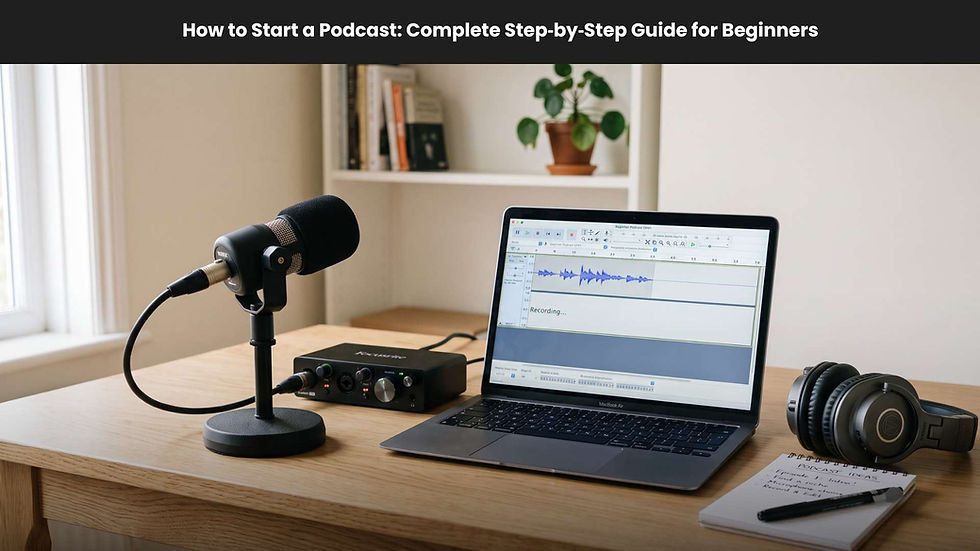
Audio remains the foundation of any podcast. For clear sound, choose a dynamic or condenser microphone. Affordable models include the Samson Q2U or Fifine USB Mic. For professional-grade audio, XLR microphones such as the AM10X with Automatic Gain Control paired with an audio interface are excellent.
Headphones, Lighting, and Soundproofing
Use closed-back headphones like the Audio-Technica ATH-M50X to monitor sound in real time. Invest in foam panels or soft furnishings to minimize echo. Balanced lighting is crucial—position your light source in front of you to reduce shadows.
Video Recording Software
Riverside.fm, OBS Studio, or Zoom are top choices for capturing HD content. For remote or multi-guest shows, Riverside’s cloud-based recording provides separate audio and video tracks per participant.
Editing Tools
Once recorded, edit your video podcast to ensure a polished final product. Free tools like Audacity and DaVinci Resolve work for beginners, while Adobe Premiere Pro or Descript offer advanced text-based editing for professionals. You can also work with specialized podcast production agencies or experienced editors who handle everything from cleanup and multi camera syncing to branding, clips, thumbnails, and distribution strategy, especially if you want a higher level, done for you service.
Step-by-Step Guide to Start a Video Podcast
Whether you are new to podcasting or transitioning from audio, these five steps will help you launch effectively.
Step 1: Plan Your Podcast
Define your target audience, choose a niche, and decide on the show format. Outline your show’s theme, structure, and frequency. For instance, you might host interviews, commentary, or storytelling episodes.
Step 2: Gather Your Equipment
Invest according to your budget. Beginners can start with a simple setup under $150 that includes a smartphone camera, USB microphone, and basic lighting.
Step 3: Record Your Episode
Create a comfortable, quiet environment. Test all devices before recording to avoid technical issues. Make sure to capture both camera and mic input in sync.
Step 4: Edit and Polish
After recording, import files into your editing software. Trim pauses, add visuals, insert background music, and ensure your episode flows seamlessly. Consider adding lower-third text overlays to reinforce your branding.
Step 5: Publish and Promote
Upload your episodes to a podcast hosting platform such as Anchor, Libsyn, or Podbean that supports video. Share your video on YouTube and Spotify, then repurpose clips for social media outreach. Write detailed descriptions with timestamps and optimize for keywords like video podcasting, podcast setup, and YouTube podcasts.
Monetizing Your Video Podcast
Many creators turn video podcasts into income streams by diversifying monetization opportunities.
Sponsorship and Brand Deals
Reach out to brands in your niche for sponsored segments. Display on-screen mentions or visual product placements during episodes. Brands value the visual exposure that video podcasts provide.
YouTube Ad Revenue and Memberships
When publishing your video podcast on YouTube, you can earn through ads, Super Chats, and channel memberships. Consistency is key to qualifying for monetization programs.
Listener Donations and Merch
Platforms like Patreon or Buy Me a Coffee allow you to collect direct contributions from fans. You can also sell branded merchandise such as shirts, mugs, or digital downloads linked to your show.
Promoting and Growing Your Video Podcast
Promotion often determines a show’s success more than production quality. Focus on discoverability and engagement consistency.
Use SEO-Optimized Titles and Descriptions
Include your primary keyword “video podcasting” in your episode titles, metadata, and summaries. Add secondary keywords naturally, such as “podcast hosting” or “YouTube podcasts.” Transcribe your episodes for improved Google search indexing.
Repurpose for Multiple Platforms
Cut your episode into 60-second moments and distribute on social media. Tag guests and engage viewers through polls or questions. Each short-form clip can serve as a discovery entry point for your main show.
Stay Consistent and Analyze Data
Use analytics tools from YouTube and Spotify to study audience watch time, drop-off points, and engagement. Adjust your strategy based on what clips perform best. Creating content in advance (batch recording) ensures you remain consistent.
Common Questions About Video Podcasting
What Is the Difference Between a Video Podcast and YouTube Video?
A video podcast is a recurring series distributed to multiple platforms, often with an audio feed for Spotify or Apple Podcasts. YouTube videos stand alone and serve a broader audience, but both can complement each other.
Is Video Podcasting Worth It for Small Creators?
Yes, especially since visual content increases discoverability and allows personality to shine. Starting with basic equipment keeps production affordable until the audience grows.
How Do I Record and Edit a Video Podcast Remotely?
Tools like Riverside.fm or Zoom let you record guests in different locations. Each participant’s track is uploaded separately for higher quality during editing.
Can Video Podcasts Make Money?
Absolutely. Through YouTube monetization, sponsorships, memberships, and brand partnerships, even small creators can turn video podcasts into steady revenue streams.
Conclusion:
Starting a video podcast is no longer just an option, it is a powerful way to expand your reach, improve engagement, and grow your brand. By combining strong storytelling with professional visuals and optimized SEO practices, your show can attract loyal viewers and listeners across platforms. The key lies in consistency, quality production, and smart promotion. Begin planning your show today and make video podcasting the cornerstone of your content strategy for 2026 and beyond.