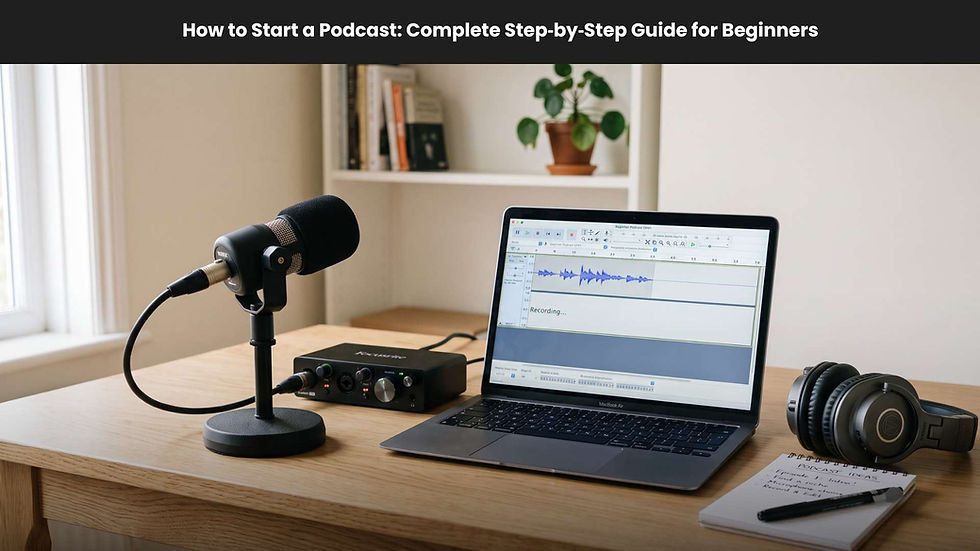
How to Publish a Podcast Step by Step: Complete Guide to Podcast Distribution in 2026
- Sam Hajighasem

- Feb 10
- 6 min read

Looking to learn how to publish a podcast step by step? You’ve come to the right place. Publishing a podcast today is easier than ever, thanks to advanced podcast hosting platforms, automation tools, and direct distribution options to platforms like Spotify, Apple Podcasts, and YouTube. In this complete 2026 guide, we’ll show you how to upload, host, and distribute your podcast efficiently across every major directory.
By the end, you’ll understand the essentials of podcast publishing from creating your RSS feed to promoting and monetizing your show.
What Does It Mean to Publish a Podcast?
Publishing a podcast means taking your recorded episodes and making them accessible to listeners through podcast directories and apps. This process involves uploading your media files to a podcast host, generating an RSS feed, and submitting that feed to major platforms. Once set up, any new episodes you add will automatically appear in your listeners' apps.
Your host acts as the storage and distribution hub. Without it, your podcast cannot be listed on directories like Spotify or Apple Podcasts. Therefore, choosing the right hosting provider is a crucial first step in podcast distribution.
Essential Items You Need to Publish a Podcast
Before you publish a podcast, you’ll need a few essentials prepared. This includes your audio or video recording, metadata, artwork, and an RSS feed generated by your host.
Podcast Files and Assets
You need your recorded file in high-quality audio (MP3, WAV, or MP4) and, if applicable, video format. Your cover art should be a square image of at least 1400x1400 pixels and no larger than 3000x3000 pixels. Include show notes and timestamps for a better listener experience.
Understanding Your RSS Feed
Your RSS feed is the data file that updates directories whenever you upload new episodes. It’s the core technology behind podcast distribution. Once your host creates it, you submit the RSS feed URL to every directory you want your show listed on.
Choosing a Podcast Host
Podcast hosting platforms act as cloud storage and distribution engines. Some of the best podcast hosting platforms for beginners in 2026 include Riverside, Buzzsprout, Podbean, and Spotify for Creators. Select a host that supports video if you plan to create video podcasts and offers analytics for audience insights.
Tip: Riverside allows you to record, host, edit, and distribute from one dashboard, streamlining the publishing workflow.
How to Publish a Podcast Step by Step
Now, let’s break down the process of podcast publishing from recording to distribution.
Step 1: Record and Edit Your Episode
Use a reliable recording tool like Riverside, GarageBand, or Audacity. Ensure your audio is clear, balanced, and free from background noise.
Step 2: Upload to Your Podcast Host
Log in to your hosting dashboard. Create your new podcast listing and upload your episode file. Fill in details such as title, description, episode number, and show notes.
Step 3: Generate Your RSS Feed
After uploading, your host creates your unique RSS feed URL. This is the link you will use for podcast distribution across all platforms.
Step 4: Submit Your RSS Feed to Podcast Directories
Submit your feed to popular directories like Spotify, Apple Podcasts, YouTube, and Amazon Music. Some hosts provide one-click submission options, while others require manual addition.
Step 5: Wait for Approval
Platform approval times vary between a few hours and several days. Once approved, your podcast will appear publicly.
Step 6: Claim and Manage Your Podcast
After publishing, claim ownership via each directory’s creator dashboard. This gives access to podcast analytics and monetization tools.

How to Distribute a Podcast to Popular Platforms
Let’s look at how to distribute your show on major directories, the core of podcast distribution success.
How to Publish a Podcast on Spotify
Spotify remains one of the most powerful podcasting platforms. To upload your podcast to Spotify:
1. Go to Spotify for Creators.
2. Add your show via RSS feed or host integration.
3. Confirm ownership through email verification.
4. Fill in your show’s details and submit for approval.
Spotify supports both audio and video formats, making it ideal for modern podcasters.
How to Upload a Podcast to Apple Podcasts
Apple Podcasts still sets the standard for podcast browsing. To submit:
1. Log in to Apple Podcast Connect using your Apple ID.
2. Select “Add a Show with an RSS feed.”
3. Validate your feed, then click Submit.
4. Wait for Apple approval (typically 24–48 hours).
Once accepted, your show appears on the iTunes and Apple Podcasts apps globally.
How to Publish a Podcast to YouTube
YouTube’s integration with podcasting in 2026 offers you access to over 2.5 billion users. To publish:
1. Go to YouTube Studio.
2. Choose “Create” then “New Podcast.”
3. Submit your RSS feed or upload video episodes directly.
4. Confirm verification and publish.
YouTube is now considered a top-tier podcast distribution channel due to its hybrid video-audio model.
How to Upload a Podcast to Amazon Music and TuneIn
For Amazon Music and TuneIn, simply visit their podcast portals, paste your RSS feed, verify your email, and confirm submission.
Amazon also automatically integrates your show into Audible, expanding your reach to audiobook listeners.
How to Promote Your Podcast After Publishing
After your show is live, promotion is essential for growth. Here are a few strategies:
1. Share on Social Media
Use clips, quotes, and teaser videos to post on platforms like Instagram, TikTok, and LinkedIn. Short video snippets drive high engagement.
2. Utilize SEO
Optimize your episode titles and descriptions with relevant keywords like “podcast distribution” or “how to upload a podcast to Spotify.” This helps listeners discover you via Google and in-app search.
3. Repurpose Episodes
Turn transcripts into blog posts, email newsletters, or social media content. The more touchpoints your show has, the higher your visibility.
4. Collaborate with Guests
Guests bring new audiences. Encourage them to promote episodes they’re featured in on their own networks.
For brands using podcasts as a long-term growth channel, working with Podcasting Companies: The Ultimate Content Marketing Strategy for Businesses can help turn podcast distribution into a scalable business asset.
How to Monetize Your Podcast
Once your podcast gains consistent listeners, start monetizing your content.
Sponsorships and Ads
Partner with brands relevant to your niche. Major hosts like Spotify and Riverside allow automated ad insertion.
Listener Support and Memberships
Platforms like Patreon or Supercast let fans contribute through monthly subscriptions. Offer bonus content, early releases, or Q&A sessions for members.
Affiliate Marketing and Merchandise
Use affiliate links for products you discuss or sell branded merchandise to boost your earnings.
Common Problems When Publishing a Podcast
Even with the right process, publishing errors happen. Here are common issues and solutions:
Podcast not appearing: Be patient, some directories take 2–10 days to list shows. Check your RSS feed validation.
Rejected cover art: Make sure your image meets size and format requirements.
RSS feed issues: Validate your RSS file using tools like Podbase or CastFeedValidator to fix any missing tags or broken links.
Frequently Asked Questions (FAQ)
How do I publish a podcast on Spotify and Apple Podcasts?
Use your host-generated RSS feed. Submit it directly to Spotify for Creators and Apple Podcast Connect. Both platforms will verify your ownership and publish the show.
What is an RSS feed, and why do I need it?
An RSS feed is a coded file that distributes new episodes automatically to every directory you’ve submitted to. Without one, your episodes wouldn’t sync globally.
Can I publish a podcast for free?
Yes. Free hosting platforms like Spotify for Creators, Buzzsprout (limited hours), or Podbean allow free podcast distribution. However, premium plans usually include better analytics and monetization.
How do I promote my podcast after launching?
Leverage SEO, social media marketing, newsletters, and collaborations. Regular posting and engagement across channels build long-term traffic and loyal followers.
Can I change hosts after submitting my podcast?
Yes. Export your podcast, then redirect your RSS feed to your new hosting provider. Always back up your audio files first.
Final Thoughts
Learning how to publish a podcast step by step is one of the most empowering skills a creator can develop. With the right hosting platform, an optimized RSS feed, and smart podcast distribution tactics, your show can reach audiences globally. Keep refining your promotion strategy, track your analytics, and explore podcast monetization opportunities as your audience grows.
In 2026, podcast publishing is no longer a mystery it’s a repeatable system. Start with a strong host, distribute widely, and focus on building consistent and authentic content every time you hit record.