Best Podcast Recording Software for Multiple Mics in 2026

Updated: Jan 26

Selecting the best podcast recording software for multiple mics in 2026 can dramatically improve your sound quality and workflow. Whether you are running a small two-person show or a six-guest panel, using dedicated podcast recording software ensures that each microphone gets its own track, making editing, mixing, and post-production much easier. With the growing popularity of remote podcasting, having the right tools for connecting multiple mics in one session has never been more crucial.
This guide covers the most reliable podcast recording software for multi-mic setups, both local and remote. You will also learn how to record a podcast with multiple mics using interfaces, digital recorders, and cloud-based platforms designed for effortless collaboration.
Choosing the right recording software is only one part of building a scalable podcast operation, especially for brands using podcasts as a core content channel. For a broader look at how businesses integrate podcasting into their marketing ecosystem, see Podcasting Companies: The Ultimate Content Marketing Strategy for Businesses.
Why Quality Podcast Recording Software Matters
Great content deserves great sound. The best podcast recording software enhances clarity, reduces noise, and separates tracks for individual voices. When multiple guests share microphones or record via low-quality apps, the result is overlapping voices and unbalanced audio levels.
Dedicated podcast recording software prevents these issues through features like multitrack recording, local backups, and audio enhancement tools. Plus, platforms built for multi-mic setups can detect and control each input channel independently, giving you full control over tone, gain, and mix levels.
How to Record a Podcast with Multiple Mics
If you are wondering how to record a podcast with multiple mics, the process depends on your setup type: in-person, remote, or hybrid. Each comes with specific hardware and software requirements. Below, we will explore three main methods to achieve professional multi-mic recordings.
Method 1 – Using Online Podcast Recording Platforms
Online platforms such as Riverside have revolutionized podcast production. They allow you to record high-quality audio and video with multiple guests from anywhere in the world. Each participant’s audio is recorded locally on their device, ensuring studio-grade quality even if their internet connection drops.
This approach is ideal for remote teams, guest interviews, or businesses running branded podcasts. You simply send an invite link, and your guests join the session from their browser or mobile device. The software automatically captures separate tracks for each speaker, making editing straightforward.
Advantages:
No technical setup required beyond sending a link.
Records in up to 48 kHz uncompressed audio.
Provides local recording to prevent Wi-Fi disruptions.
Disadvantages:
Requires each guest to have a compatible mic and stable device.
Dependent on the guest’s environment for optimal sound.
Popular options include Riverside, SquadCast, and Zencastr, all offering multitrack recording, automated uploading, and convenient editing tools.
Method 2 – Using a Digital Recorder
If you prefer an offline method, a digital recorder provides a reliable, portable solution for in-person podcasts. Devices such as the Zoom PodTrak P4 or Zoom H6 support multiple XLR microphones and record each participant on individual tracks.
A digital recorder stores uncompressed audio directly on an SD card. Because it operates independently from a computer, it eliminates potential software crashes or latency problems. Many creators choose a recorder for its simplicity and consistent quality.
Steps:
1. Plug each XLR microphone into the recorder.
2. Assign each mic to its own track.
3. Hit record and capture your session.
4. Transfer the files to your editing software later.
Pros:
Portable and reliable.
No computer required.
Produces high-quality multitrack audio.
Cons:
Initial investment can be costly.
Requires manual file transfer.
Method 3 – Using an Audio Interface for Multiple Mics
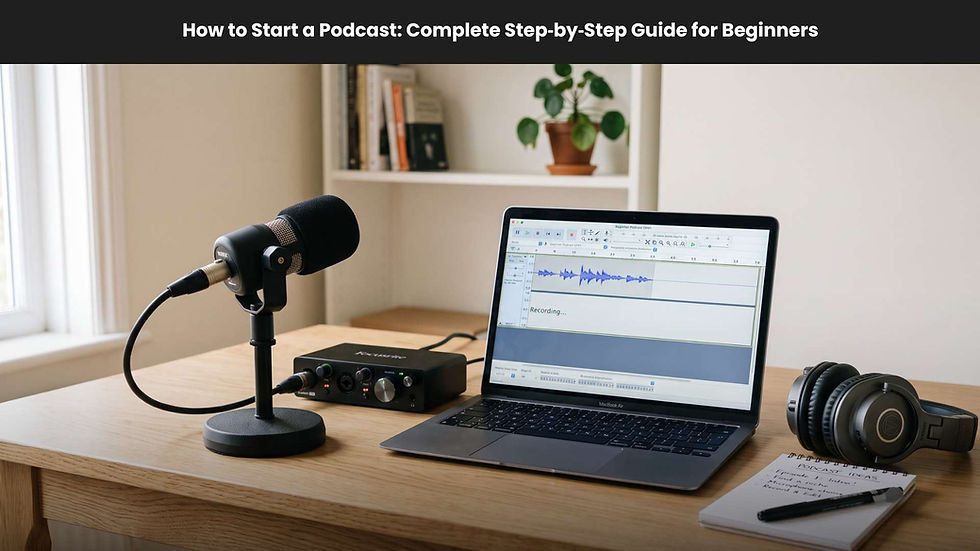
A USB audio interface lets you connect several XLR microphones to your computer. It acts as a bridge between professional microphones and your digital audio workstation (DAW) or podcast software.
Interfaces such as the Focusrite Scarlett 2i2 or Scarlett 18i8 provide two to four microphone inputs, perfect for multi-person setups. Each input is recorded on its own channel, giving you full post-production flexibility. This method is ideal for studio environments where precision and control matter.
Advantages:
Professional sound quality.
Direct connection to your computer for immediate editing.
Enables monitoring and gain adjustment in real time.
Limitations:
Slight learning curve for beginners.
Requires configuration in your recording software.

Choosing the Best Podcast Recording Software for Your Needs
Selecting the best software depends on where and how you record. For example, remote podcasts require strong internet-based tools, while local recordings benefit from hardware-based systems. Below are popular software options categorized by their ideal use case.
Best for Remote Multi-Mic Recording – Riverside
Riverside is an all-in-one solution for podcasters who record remotely. It allows up to nine participants to join from anywhere, records each person locally, and automatically syncs and uploads all files to the cloud. Each track is stored in high-quality WAV format, ensuring professional audio standards.
Top features:
Separate audio and video tracks per guest.
4K video and 48 kHz audio quality.
Automated background noise removal and sound enhancement.
Browser-based recording with simple invitations.
Best for Studio Setup – Adobe Audition
Adobe Audition excels for podcasters using multiple mics through an audio interface. With its professional-grade mixing and mastering tools, it’s perfect for those who value maximum control. You can apply EQ, compression, and level adjustments on individual tracks for a radio-quality finished product.
Key benefits:
Full suite of professional effects.
Real-time waveform editing.
Integration with other Adobe Creative Cloud tools.
Best for Beginners – Audacity
Audacity is free, open-source software that supports multi-track recording with various interfaces. It’s ideal for smaller podcast teams who want to experiment with recording multiple microphones without heavy equipment investment.
Features include:
Simple interface.
Basic noise reduction and compression tools.
Support for USB and XLR microphones.
Advanced Setup Tips for Multi-Mic Podcasting
To get the best results, you must also consider your hardware and system limitations.
Using Two USB Mics on One Computer
On macOS, you can combine multiple USB microphones using an “Aggregate Device.” This is done via Audio MIDI Setup by adding both microphones and assigning them unique input channels. It allows recording software to treat both mics as a single synced input source.
However, using two separate USB mics on Windows usually requires additional drivers like ASIO4ALL or third-party routing tools like Voicemeeter. Even then, USB mics can suffer from timing drift due to unsynchronized internal clocks, resulting in echo effects over time.
For serious podcasters, a dual-XLR interface or digital recorder remains the best choice. These devices use shared clocks to keep all channels in sync, ensuring professional-quality alignment during long recordings.
Avoiding Sync and Clock Drift Issues
Each USB microphone contains its own digital clock to measure audio samples. The slight differences between clocks can cause tracks to drift apart. Over long recording sessions, this results in noticeable audio misalignment. Professional studios solve this using external “word clock” synchronization systems, which keep all inputs perfectly timed.
If you’re using consumer-level gear, stick to multi-input interfaces or platforms that manage synchronization internally. Alternatively, post-production software such as PluralEyes can resync desynchronized tracks, though it adds extra editing time.
Frequently Asked Questions About Multi-Mic Podcast Recording
What is the best way to record multiple podcast guests remotely?
Use a dedicated remote recording platform like Riverside or SquadCast. These record each participant locally and upload files automatically to the cloud, ensuring consistent high-quality audio without depending on internet speed.
How do I connect multiple XLR microphones to a computer?
Use a USB audio interface with sufficient input ports for your microphones. Connect each mic via XLR cable to the interface, then select the interface as your input source in your podcast recording software.
Do I need a separate track for each participant?
Yes. Separate tracks allow you to balance volume levels, remove background noise, and edit individual voices cleanly. Recording all guests on a single track limits your editing control and often results in unbalanced mixes.
Can you record two USB mics on the same computer?
Yes, but with limitations. macOS supports this using Aggregate Devices, while Windows generally requires extra drivers or virtual mixers. However, due to potential sync drift, using an interface with multiple XLR inputs remains a more stable option.
Conclusion:
Selecting the best podcast recording software for multiple mics depends on your setup, budget, and technical comfort level. Remote creators will thrive with browser-based platforms like Riverside, which deliver professional multitrack quality without technical hassle. For in-person podcasting, digital recorders or USB audio interfaces provide unmatched control and clarity.
Whether you choose online recording software or traditional hardware setups, remember that multitrack recording, proper mic setup, and synchronized inputs are key to producing professional podcasts that captivate your audience. With the right tools and techniques, your show can sound just as polished as any studio production.
In 2026, podcast creators have more options than ever. From platforms optimized for remote collaboration to hardware solutions delivering flawless local tracks, investing in reliable podcast recording software ensures that your voices sound crisp, balanced, and broadcast-ready every time.